Reading a button: floating inputs and INPUT_PULLUP
A pin set to INPUT with nothing driving it floats: it picks up hum from the room and reads random HIGHs and LOWs. INPUT_PULLUP turns on a 20–50 kΩ resistor inside the chip to 5 V, so the pin reads HIGH until the button connects it to GND.
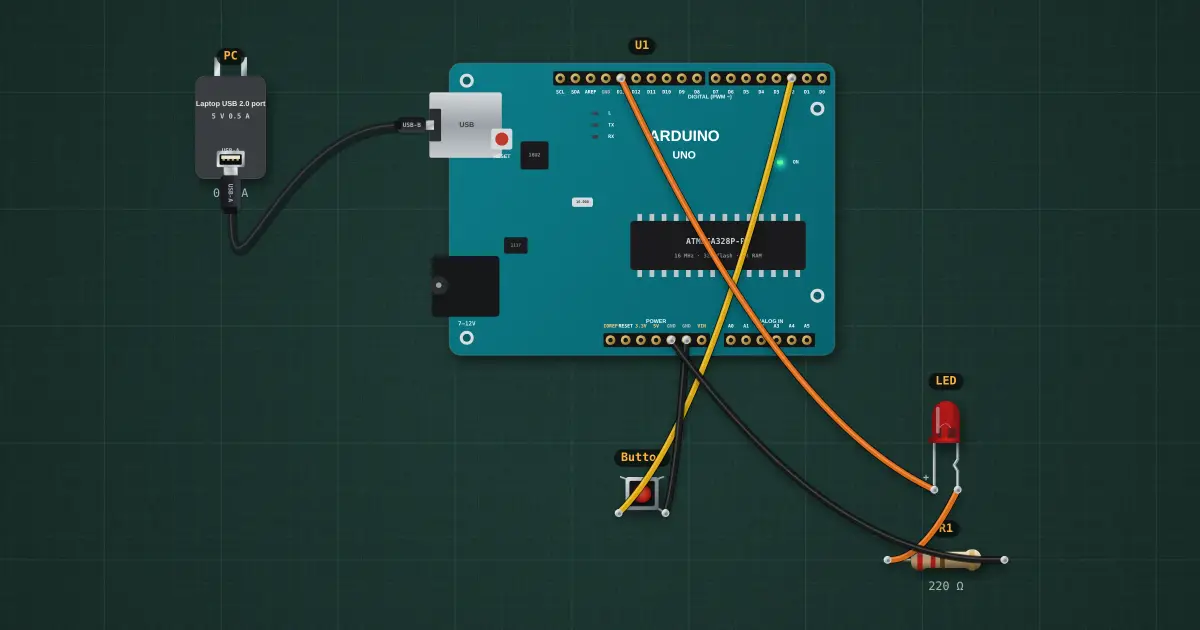
Open this lesson in the labFree, in your browser, no account needed.
Try it on the bench
- Run it as loaded (INPUT): the LED flickers on its own. Nothing holds pin 2 HIGH, so it floats.
- Open the IDE, change INPUT back to INPUT_PULLUP, upload: now it is steady, and pressing the button lights the LED.
- Add a 10 kΩ resistor from pin 2 to 5V instead, keep INPUT: an external pull-up does the same job.
Parts on the bench
In the course
Zen’s Electronics Design Mastery, module “Microcontrollers & Embedded”.