Settings that survive a reset (NVS)
RAM is wiped every time the chip resets or loses power. To keep a setting, a calibration or a counter, a program writes it to flash. The ESP32 Preferences library stores key-value pairs in a flash partition called NVS.
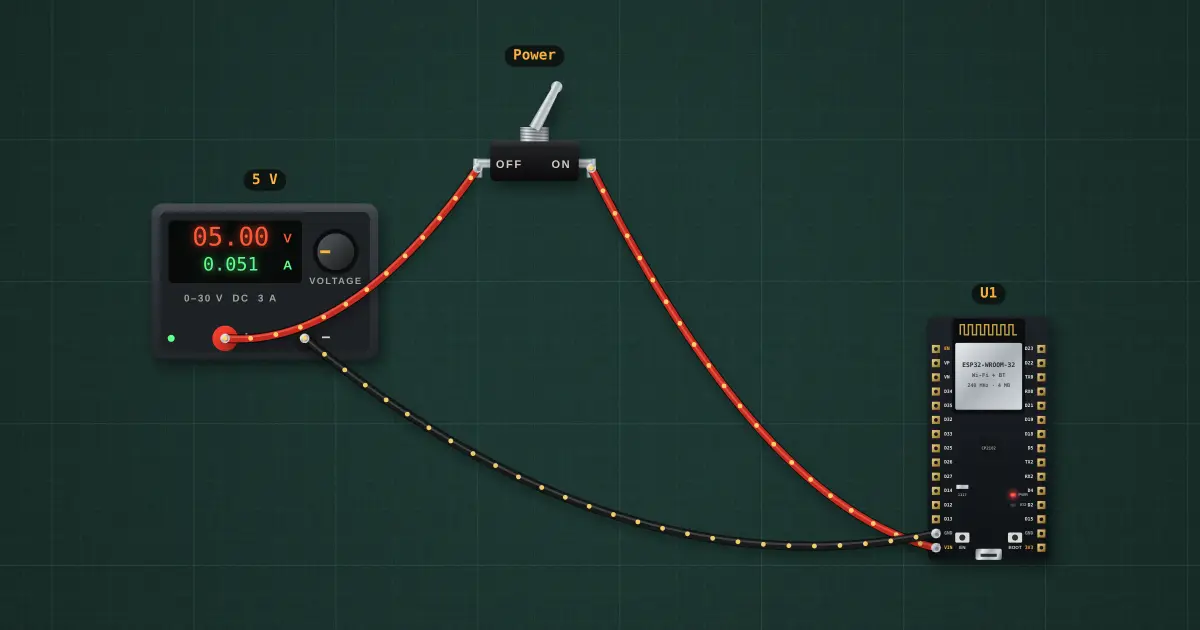
Open this lesson in the labFree, in your browser, no account needed.
How it works
On every boot the sketch reads boots from NVS, adds 1 and writes it back. A RAM variable would start from zero every time; the NVS value keeps climbing.
Flash wears out after roughly 100 000 erase cycles per sector (NVS spreads writes around), so store settings when they change, not in a fast loop.
Try it on the bench
- Flip the Power switch off and on a few times. The NVS count keeps rising, but the RTC count restarts at 1.
- The stored count is saved with the board: use File → Save, reload it, and it is still there.
Parts on the bench
- Bench power supply
- Toggle switch
- ESP32 DevKit
In the course
Zen’s Electronics Design Mastery, module “Microcontrollers & Embedded”.