Interrupts and debouncing
An interrupt runs a function the instant a pin changes, even while loop() is busy, so no press is ever missed. But a mechanical button’s contacts bounce for a few milliseconds, so one press can produce several edges. Debouncing waits for the pin to settle before believing it.
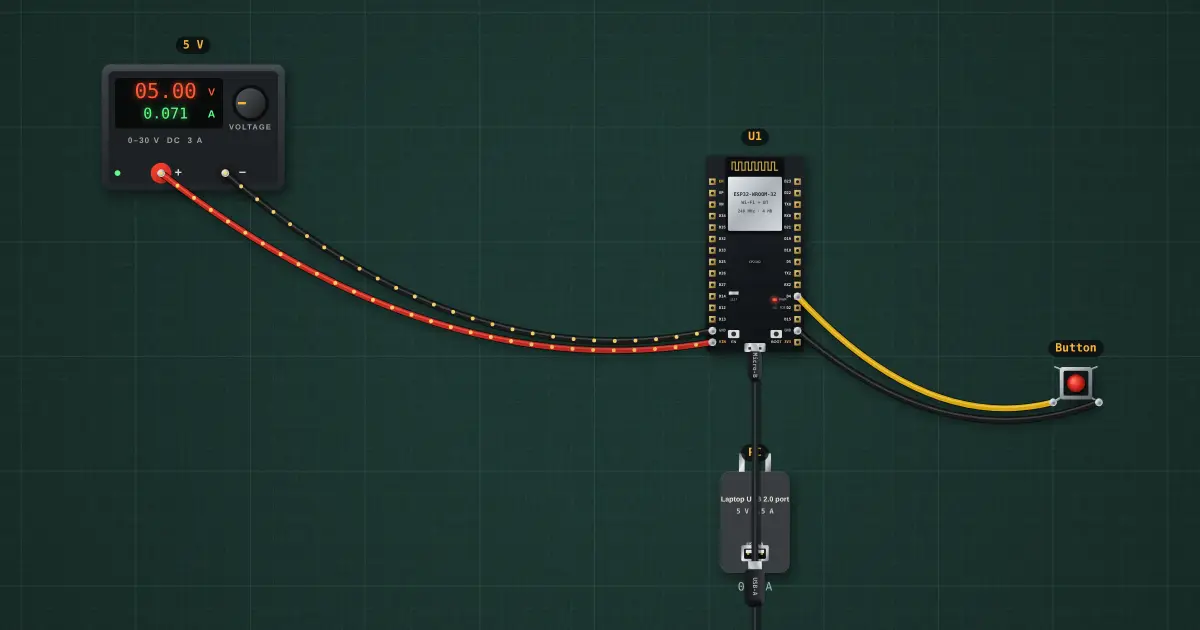
Open this lesson in the labFree, in your browser, no account needed.
How it works
The interrupt counts every falling edge on GPIO4. A bouncing contact can make 2–10 of them per press.
loop() runs every 10 ms and only accepts the pin’s level once there have been no edges for 30 ms. That gives exactly one count per press.
Without the interrupt, a polled loop that is busy for, say, a 500 ms delay() would miss quick presses entirely. The interrupt never does.
Try it on the bench
- Click the button a few times. The raw edge count races ahead of the real presses, but the debounced count matches.
- Select the button and turn off contact bounce: now edges equal presses, as with a hardware-debounced (RC filtered) button.
- Open the sketch (select U1, Open in Arduino IDE) and change 30 ms to 1 ms: the debounce stops working.
Parts on the bench
- Bench power supply
- ESP32 DevKit
- USB charger / port
- Push button
In the course
Zen’s Electronics Design Mastery, module “Microcontrollers & Embedded”.