Stopwatch on a MAX7219 display
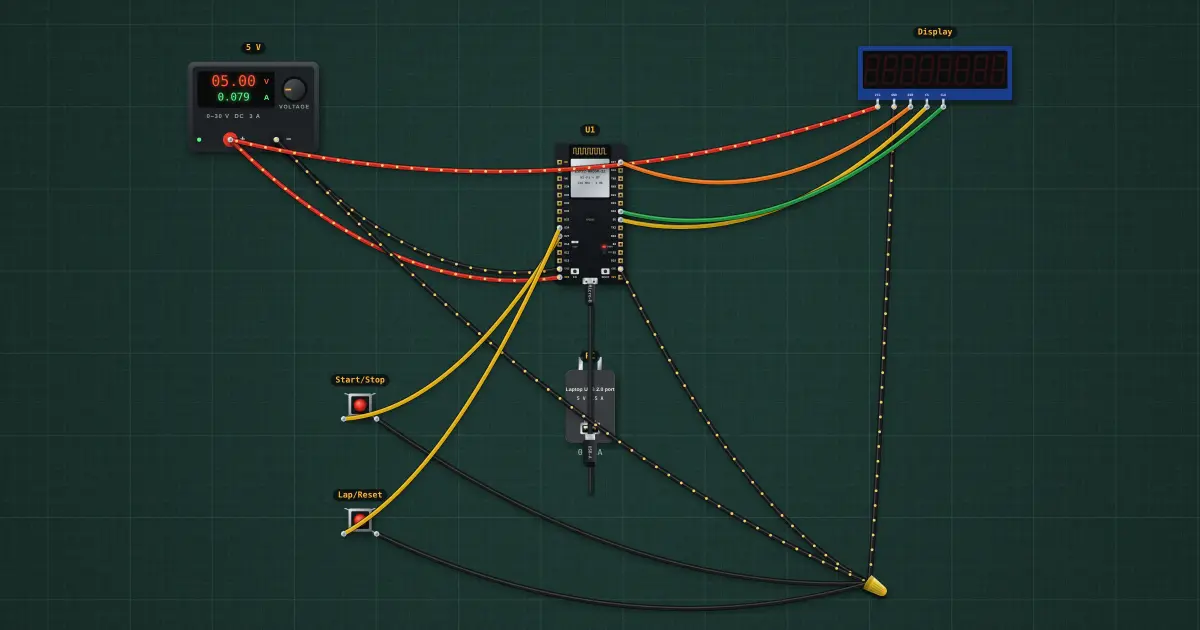
Start, stop, lap and reset, to a hundredth of a second. The MAX7219 drives eight 7-segment digits by itself; the ESP32 only sends it 2-byte commands over SPI (register, value). In code-B mode it decodes numbers, so the sketch just sends each digit, with bit 7 for the decimal point. Two buttons, read on their falling edge so a held button counts once: Start/Stop, and Lap (while running) or Reset (while stopped). Time comes from millis(), so it is as good as the ESP32’s crystal. On the real thing: the MAX7219 runs on 5 V and wants 3.5 V for a logic high, so 3.3 V from the ESP32 is outside its spec. Most modules work anyway; if the digits show garbage, power the module from 3.3 V for a test or put a 74HCT125 buffer in the DIN, CLK and CS lines.
Build it in the labGuided build, test sheet and fault finding, free in your browser.
Parts list
- Bench power supply
- ESP32 DevKit
- USB charger / port
- MAX7219 8-digit display
- 2 × Push button
Test procedure
Each test has an expected value and a pass range, like a factory test sheet:
- It counts
- Stop holds the time
- Reset clears it
How it works
What it does: Start, stop, lap and reset, to a hundredth of a second.
Build it (guided or ready-made), then run its test procedure below. Every test has an expected value and a pass range, just like a factory test sheet.
Things to try
- Start it next to your phone’s stopwatch for a minute: they agree to a hundredth.
- Hold Start/Stop down: it counts one press, because the sketch acts on the falling edge only.
- Show minutes past 59.99 s: split the time into mm, ss, hh and send six digits with two decimal points.
Background
Electronic stopwatches replaced mechanical ones in sport in the 1970s; a quartz crystal keeps them within a second a day.