1.69" IPS TFT (ST7789) (ST7789V2)
1.69" IPS LCD module, ST7789V2 controller, 240 × 280, 65K colours, 4-wire SPI (write only) · VCC 3.3–5 V · 3.3 V logic · BL backlight (PWM dims it) · normally black IPS: needs INVON for true colours
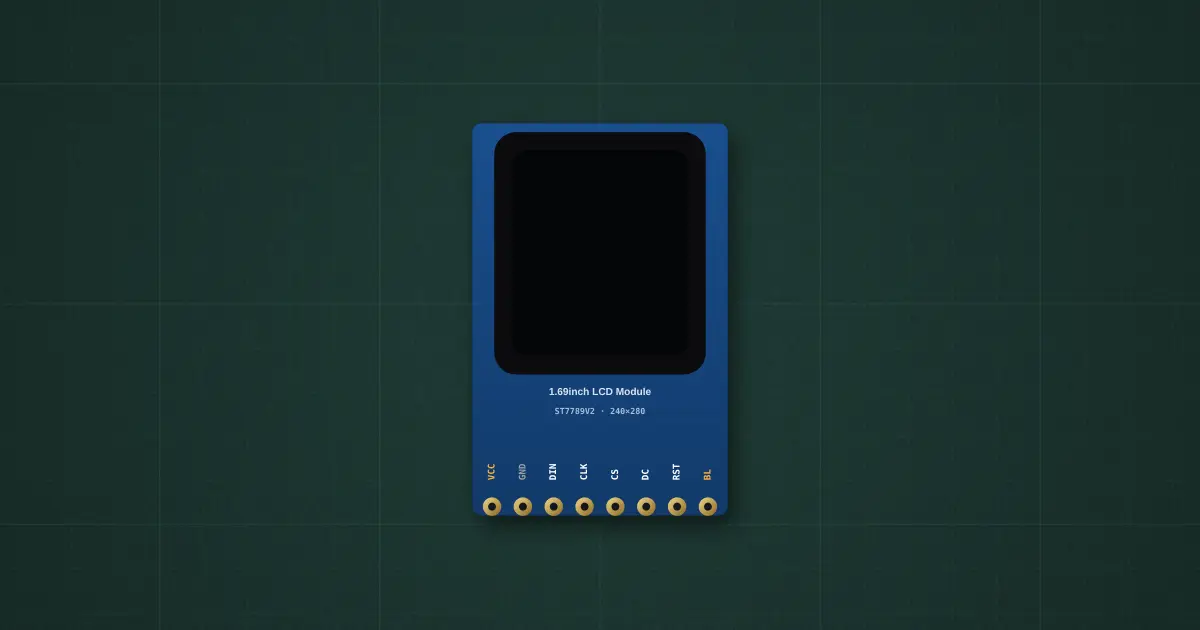
Try it on the benchThe lab drops it on an empty bench and opens its datasheet card.
Typical part: 1.69" IPS LCD module, ST7789V2, 240 × 280 (Waveshare-style, 8-pin)
Pins
- VCC
- GND
- DIN (MOSI)
- CLK (SCK)
- CS
- DC
- RST
- BL
- (3.3 V rail)
- (no MISO)
Ratings and limits
| Supply | VCC 3.3–5 V (on-board regulator), about 8 mA logic + up to 30 mA backlight (lab figures) |
|---|---|
| Logic | 3.3 V SPI, write only (no MISO); DC low = command, high = data; RST low = reset |
| Panel | 1.69" IPS, 240 × 280 visible out of the controller’s 240 × 320 frame memory (rows 20–299), 65K colours (RGB565) |
| Colours | an IPS panel needs INVON (display inversion) for true colours: without it everything shows inverted |
| Backlight | BL high = on; PWM on BL dims it |
| SPI clock | writes up to about 62 MHz on the datasheet; 20–40 MHz is typical in practice |
How to use it
A small, sharp colour screen. With Adafruit_ST7789: Adafruit_ST7789 tft(CS, DC, RST); tft.init(240, 280); then the Adafruit_GFX calls (fillScreen, setCursor, print, drawLine…). It shares MOSI and SCK with other SPI parts; give it its own CS.
More in microcontrollers & modules
- Arduino Uno R3
- Arduino Nano
- ESP32 DevKit
- ESP32-S3 DevKitC-1
- Raspberry Pi Pico 2
- LILYGO T-SIM A7670E R2
- Orange Pi One
- Coin acceptor
- Coin slot (₱5 only)
- I2C LCD
Sources: Sitronix ST7789V2 datasheet (command set, MADCTL, 240 × 320 GRAM); Waveshare 1.69inch LCD Module wiki (pinout, 3.3/5 V); Adafruit_ST7789 library (init sequence, 240 × 280 offsets).